Claude writes a good LinkedIn post: it can take a rough note, a changelog or a blog post and turn it into something that reads well in the feed. On its own it cannot publish it. There is no LinkedIn button in the chat. You have two practical ways to close that gap.
Disclosure up front: we build Posteora, which is the second option.
Option 1: copy and paste
Ask Claude for the post, copy it, paste it into LinkedIn, post it. LinkedIn's own composer can also schedule a post for later.
- Cost: nothing.
- Good for: a post or two a week, LinkedIn only.
- Watch out for: formatting. LinkedIn does not render Markdown, so
**bold**and# headingsfrom the chat show up as raw symbols. Ask Claude for "plain text, short paragraphs, no Markdown" before you copy.
Option 2: a Claude custom connector
Claude supports custom connectors built on MCP, the Model Context Protocol. A connector gives Claude tools it can call, such as "preview this post" and "schedule this post". Posteora is one.
Setup takes a few minutes, on Claude for the web or the desktop app:
- Create a free Posteora account and connect LinkedIn under Connections. It posts to your personal profile. You can connect X, Bluesky, Mastodon, TikTok, Pinterest and YouTube too, one account each.
- Add a custom connector in Claude: open Settings, then Connectors, then Add custom connector, and paste
https://posteora.com/mcp. Leave the other fields empty. - Click Connect, then Allow on the Posteora page that opens. There is no API key to copy.
- Ask Claude to post. For example: "Turn these release notes into a LinkedIn post and schedule it for Tuesday at 9am."
Before anything is queued, Claude calls a preview and shows you a receipt: the text as LinkedIn will take it, the time it will go out, what it uses from your plan, and a question. Nothing posts until you say yes. Everything it schedules also shows up in your Posteora calendar, where you can edit or cancel it.
- Cost: the free plan has 10 posts a month across all networks, with no card. Pro is $19 a month, or $15 a month billed annually. Full table on pricing.
- Good for: people who already draft in Claude and want the same post on LinkedIn and X or Bluesky without pasting it three times.
- Limits: it posts to your personal LinkedIn profile, not to company pages.
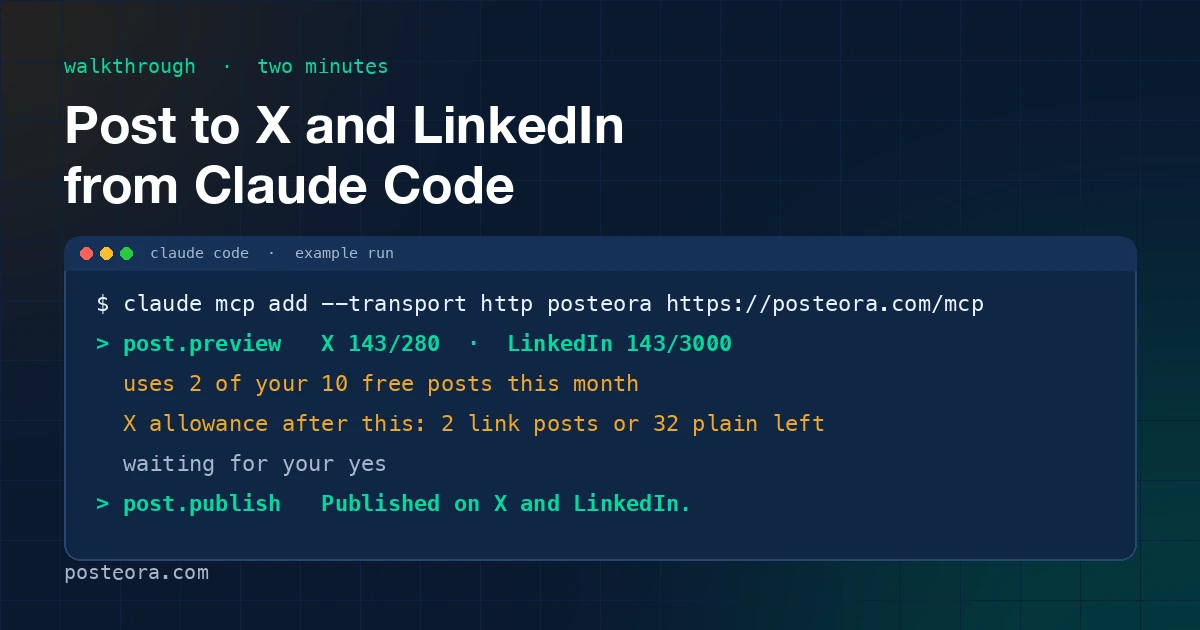
The full setup with a copyable message is on the Claude page. If you work in Claude Code, the same server works there: post to X and LinkedIn from Claude Code in two minutes. For ChatGPT, see how to post to X from ChatGPT.
One post, several networks
The usual reason to connect Claude rather than paste is posting the same idea to more than one network. A LinkedIn post and an X post are not the same text: LinkedIn takes up to 3,000 characters and X takes 280 on a standard account. Ask Claude for both versions in one go, check each in the receipt, and approve. We wrote about what breaks when text moves between the two in why LinkedIn formatting breaks when cross-posting from X.
Which one to pick
- LinkedIn only, a post or two a week: copy and paste, with "no Markdown" in your prompt.
- You draft in Claude and post to LinkedIn plus another network: a connector saves the pasting and keeps a yes from you before every post.