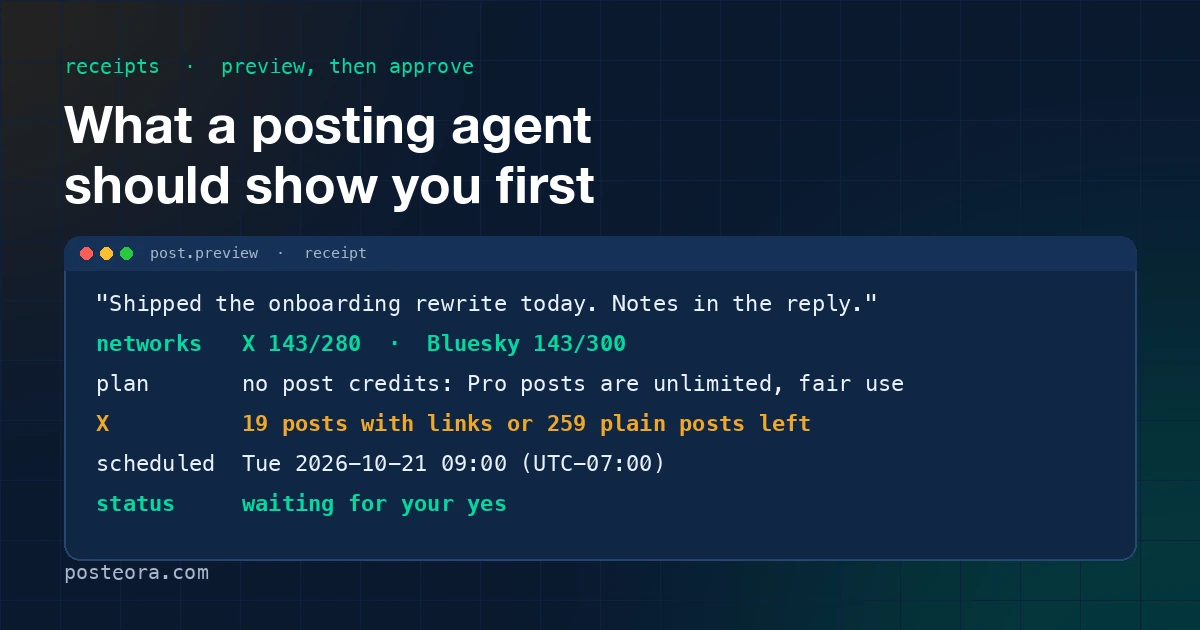
An assistant that can post is an assistant that can embarrass you, in public, under your name, in a tool call you did not watch. The fix is not a smarter model. It is a rhythm: the agent shows you what it is about to do, in a form you can read in five seconds, and waits. Then it tells you what it did, in the same form.
This is how Posteora does it, with the actual receipts, and the five lines I think you should demand from any tool that posts on your behalf.
The rhythm
Every run through the assistant looks the same:
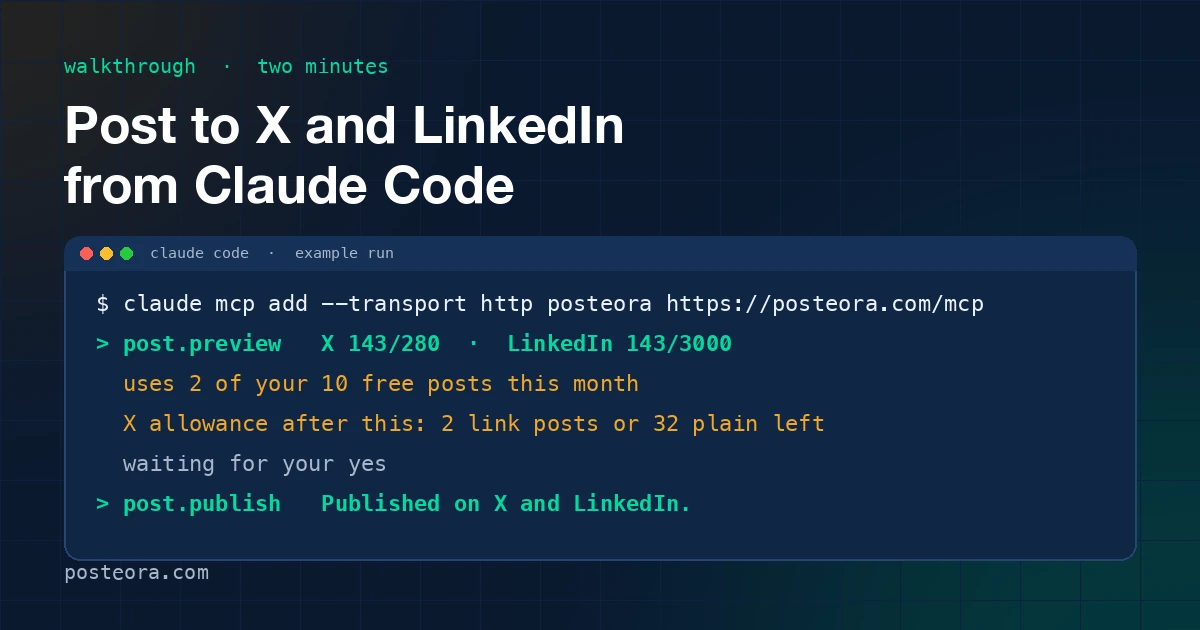
accounts.list: which networks are connected and whether their tokens still work. Free.post.preview: the text against each target, what the post draws on, what it would cost on X, and whether it can go out as written. Free, creates nothing.- The assistant reads the receipt back and waits for your yes.
post.publishorpost.schedule: the send, with an idempotency key so a retry cannot post twice.- A second receipt: what happened on each network, and what is left.
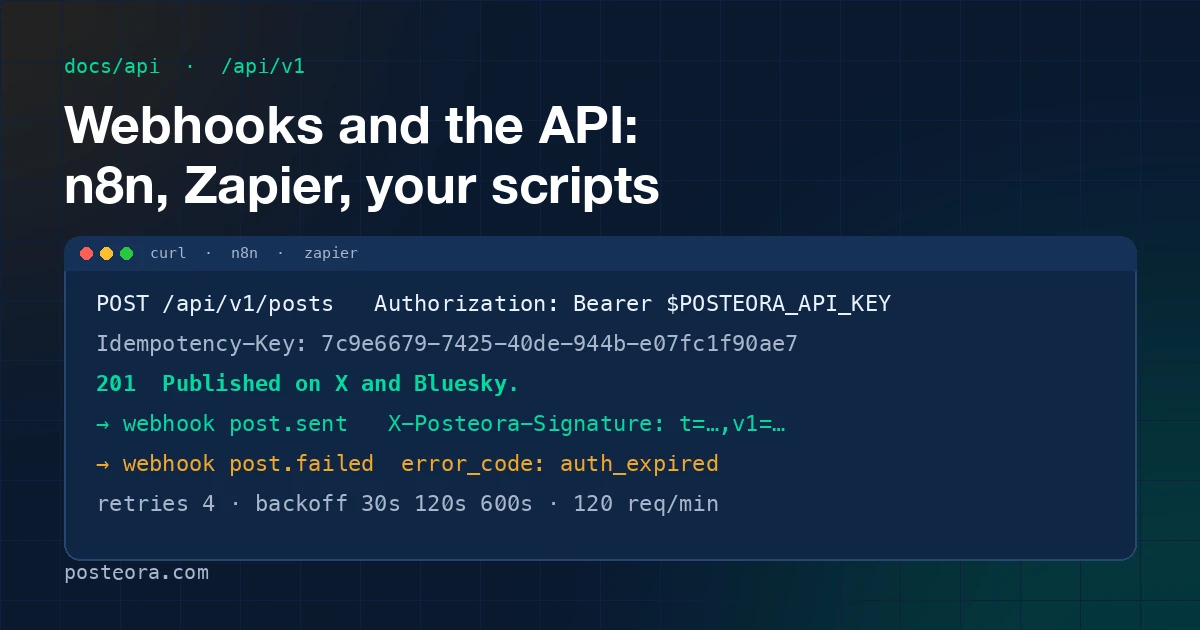
The server's instructions to the assistant say, in words, to preview, read the receipt and wait. I want to be precise about what that means: it is an instruction the assistant follows, not a lock on the server. What the server does enforce is the idempotency key on every publish, the two-X-posts-a-day spacing when scheduling, the daily caps per network, the plan horizon and queue, the duplicate check, and the X allowance. The preview exists so you see those refusals before you say yes rather than after.
The preview receipt, line by line
A post to X and Bluesky on a Pro account previews like this:
No post credits: Pro posts are unlimited, fair use. X: 143/280 chars; Bluesky:
143/300 chars. X allowance after this: 19 posts with links or 259 plain posts left.
The same post on a free account:
Uses 2 of your 10 free posts this month (3 sent, 1 queued). X: 143/280 chars;
Bluesky: 143/300 chars. X allowance after this: 2 posts with links or 32 plain
posts left.
Line one: what it draws on. On Free, the post counts once per network against the ten a month, and the receipt shows what is already sent and what is queued, because queued posts will count too. On Pro there are no post credits, and the receipt says so instead of leaving a blank.
Line two: fit. Characters against each network's limit. Bluesky is 300, X is 280, LinkedIn is 3,000. If one network does not fit, the receipt says "Cannot send as previewed" and names the reason. A TikTok target without its required options (privacy level, comments) is flagged here as well, and the assistant is told to ask you rather than guess.
Line three: the X allowance. This is the money line, and it is shown as posts, never as dollars.
Why X gets its own line
X is the only network that charges Posteora per post through its API. A plain post is cheap; a post with a link costs about 13 times as much and ranks lower in X's feed on top. So every X send draws on a monthly allowance. Pro includes about 20 posts with links or 260 plain posts a month, or any mix in between. The receipt shows the allowance after the post you are previewing, so the number you read is the number you will have.
Three rules keep it honest:
- At 75% used or queued, the receipt adds a warning sentence with the exact meter.
- At 100%, the preview refuses, and the assistant is told to tell you to write to support@posteora.com; we connect your own X API key at no extra charge from us.
- Queued X posts reserve their share. You cannot schedule past the allowance and find out on the day.
Free accounts cannot put links in X posts at all; the preview says so and the fix is to remove the link or move it to a reply on Pro. The reply trick is the usual run anyway: a plain post now, the link in a reply a few minutes later, because X downranks link posts and the reply costs the same whether it goes under your post or stands alone.
The publish receipt
After your yes:
Published on X and Bluesky. X allowance: 19 posts with links or 259 plain posts left.
Each network gets its own sentence when the outcome differs. A network that refused the post reads "Failed on Bluesky: connection expired, reconnect your account." The other network still went out and the receipt says so. A failure is never folded into a success sentence, because an assistant reads the receipt aloud and "posted to X and Bluesky" with one of them missing is a lie of the worst kind: a plausible one.
The payload under the sentence carries the live URL on each network and a record_id, which post.status and analytics.get accept later.
The schedule receipt
Queued for Tue 2026-10-21 09:00 (UTC-07:00) on X. X allowance with it queued:
19 posts with links or 258 plain posts left. It is in your Studio calendar.
The time is printed in the offset you gave it, not converted to UTC and handed back. A time zone mistake is the most common way a scheduled post goes wrong, and the receipt is where you catch it.
Five lines to demand from any posting agent
Use this as a checklist against whatever tool you are evaluating, ours included.
- The exact text and targets, before the send, in a form you can read in one breath.
- What it draws on: a credit, a monthly count, an allowance, shown in the unit you actually think in. If a tool shows you dollars for a social post, it is making you do arithmetic it should do itself.
- The fit per network, so a 300-character Bluesky limit is not discovered at 9:00 on Tuesday.
- The refusal, in advance. A tool that lets you queue what it will later refuse is wasting the one thing a scheduler is for.
- The outcome per network, after. One sentence each, failures named, with the live link.
And one rule for the tool itself: a retry must not post twice. Posteora requires an idempotency key on every publish from the assistant and from the API; a repeated call with the same key gets the stored answer and nothing goes out again.
What this costs you in time
Reading a receipt takes five seconds. Typing "yes" takes one. The Claude Code walkthrough shows the whole run, including the two receipts, in about two minutes with the networks already connected. The free plan has no card and the assistant connection is included, so the cheapest way to check the rhythm is to run it once; Pro is $19 a month, or $15 a month billed annually, when you post more. Everything that changes in the receipts is dated on the changelog.