Update, 2026-11-26: every price, free plan and network below was re-checked against our dated comparison pages, read on each tool's own pricing page on 2026-11-24 or 2026-11-25. For each side-by-side, see Posteora vs Buffer, Posteora vs Publer and Posteora vs SocialBee.
Buffer, Publer, SocialBee, and Posteora solve different problems.
If you need a clean scheduler for many channels, Buffer is usually the simplest comparison point. If you run several accounts on many networks and want to pay per account, Publer is broader. If you want category-based publishing and evergreen content workflows, SocialBee is built around that. If X is your primary platform, Posteora now covers both sides of the job: Scheduler Studio for planning and publishing, plus AI replies in your own voice.
Prices are from each tool's own pricing page on the date in its comparison page. Plans change, so check before you buy.
Quick answer
Choose:
- Buffer if you want a lightweight scheduler for multiple social channels.
- Publer if you need cheap multi-account scheduling, recycling and team workspaces.
- SocialBee if you want category-based publishing and evergreen social media operations.
- Posteora if X is your main platform and you want scheduling, threads, AI drafting in your voice, and replies in one tool.
Comparison table
| Tool | Best fit | Price (checked Nov 2026) | Free plan | Watch-out |
|---|---|---|---|---|
| Buffer | Solo creators and small teams | $6 a channel a month, $5 billed annually | Yes, 3 channels, 10 queued posts each | Price grows with every channel |
| Publer | Several accounts, many networks | $5/mo for 1 account, $12 for 3, $28 for 7 | Yes, 3 accounts, not X | X on paid plans only |
| SocialBee | Evergreen content systems | $29/mo for 5 profiles, $49 for 10 | No, 14-day trial | More operations-heavy |
| Posteora | Creators posting across X, LinkedIn, Bluesky, Mastodon, TikTok, Pinterest and YouTube | $19/mo flat, $15 billed annually | Yes, 10 posts a month, no card | No Instagram, Facebook or Threads; the reply extension is X-only |
Buffer
Buffer's help center describes it as social media management software for small businesses with tools to schedule posts, analyze results, and engage with the community. Essentials is $6 a channel a month, or $5 billed annually, so 5 channels is $30 a month; Team is $12 a channel, or $10 billed annually. The free plan covers 3 channels with 10 queued posts each, and its own AI Assistant is on every plan.
Use Buffer when you want a familiar calendar and straightforward publishing across social channels.
Buffer is strongest when the job is:
- Schedule posts
- Keep a simple queue
- Review basic performance
- Work across several platforms
- Avoid a complicated setup
If you are mainly trying to reply faster on X, Buffer is not built around that moment.
Publer
Publer is a broad scheduler priced per social account: Professional is $5 a month for 1 account, $12 for 3 and $28 for 7; Business is $10, $21 and $49. The free plan covers 3 accounts, not X, with 10 scheduled posts per account at a time; X is on paid plans only. It lists 13 networks and has unlimited workspaces, RSS automations and post recycling.
Use Publer when you manage a wider publishing workflow:
- Multiple accounts
- Team workspaces
- Analytics reports
- AI caption help
- Calendar planning
Publer is a strong fit for operators. It can be more than a simple creator needs if the only daily pain is writing better X replies.
SocialBee
SocialBee's publishing page describes it as an AI-powered social media management tool for creating, scheduling, and publishing across Facebook, Instagram, X, LinkedIn, Pinterest, TikTok, YouTube, Threads, Bluesky, and Google Business Profile.
Bootstrap is $29 a month for 5 profiles, Accelerate $49 for 10 and Pro $99 for 25, with a 14-day trial and no free plan.
Use SocialBee when your workflow depends on content categories and recurring publishing systems:
- Evergreen post categories
- Scheduled campaigns
- Team feedback
- Multi-platform publishing
- Reusable content libraries
SocialBee is useful when consistency is the job. It is less focused on the single X reply box where a lot of creator growth actually happens.
Posteora
Posteora cross-posts from one composer. Scheduler Studio is a full scheduler for X, LinkedIn, Bluesky, Mastodon, TikTok, Pinterest and YouTube: a calendar rail with week and month views, native threads with per-segment images and resumable delivery (if posting fails partway, only the unsent segments are re-sent: no duplicates, no broken threads), an AI composer trained on 5–10 of your real posts, and a live X preview on one screen.
Two pieces do the work SocialBee-style systems charge for:
- Autopilot scans your week for empty slots and writes drafts into an approval tray at your best times. It writes drafts; it never posts anything by itself.
- The evergreen library recycles a proven post as a genuine AI rewrite, never a duplicate: the server rejects text matching the original and refunds the credit.
Engagement is pulled for a week after each post, and best-time scheduling learns your hours from your own results.
Useful pieces:
- Posteora Chrome extension for reply drafting on x.com
- Twitter Reply Generator
- Twitter Reply Audit
- Tweet Source Link Extractor
- Persona Studio
- Free X creator tools
The honest limitation: Posteora cross-posts to X, LinkedIn, Bluesky, Mastodon, TikTok, Pinterest and YouTube, but it does not publish to Instagram, Facebook or Threads, so a brand that lives on those still needs Buffer. If your work happens on X and LinkedIn, it covers the whole loop from one screen.
Which one should you use?
If you schedule across many channels
Start with Buffer, Publer, or SocialBee.
Then add Posteora if X is a meaningful part of your growth.
If you are a founder or creator on X
Start with Posteora: a free account (magic-link signup, no card) includes 10 posts a month across all seven networks and 5 AI credits a day, plus the free tools:
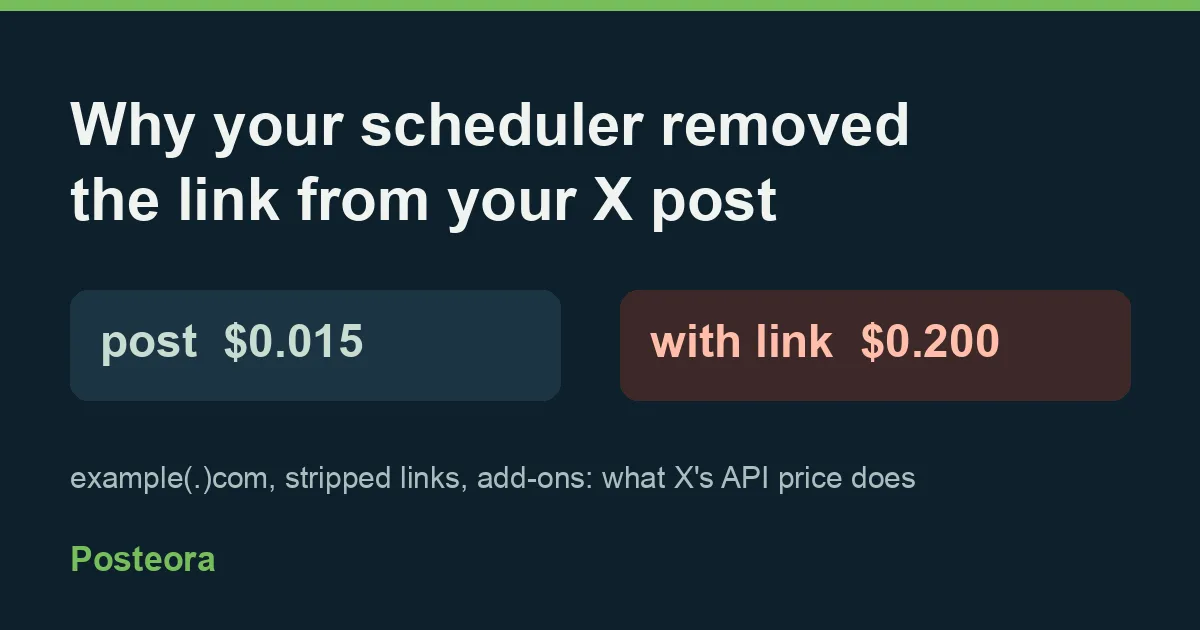
Pro is $19 a month, or $15 billed annually, with unlimited posts under fair use of 600 per network per month. On X there is an allowance of about 20 link posts or 260 plain posts a month, because X charges apps per post. You can cancel anything in the queue before it goes out.
If you run client accounts
Publer or SocialBee may fit better because approvals, reports, and account management matter more.
Update, October 2026: Posteora is now a posting agent for Claude, ChatGPT and Claude Code; see the Claude Code walkthrough, what the receipt shows before a send, the Postiz hosted-route note and the API and webhooks.
FAQ
Is Posteora a Buffer alternative?
Yes. Scheduler Studio covers the calendar, threads, best-time posting, and evergreen recycling across X, LinkedIn, Bluesky, Mastodon, TikTok, Pinterest and YouTube at one flat price, and adds the AI reply workflow Buffer does not have. Where Buffer still wins: Instagram, Facebook and Threads, which Posteora does not publish to, and a price for one channel alone.
Is Publer better than Buffer?
It depends on workflow. Publer is cheaper for one to three accounts ($5 a month for one, $12 for three) but leaves X off its free plan. Buffer is often simpler for basic scheduling and its free plan includes X.
Is SocialBee good for X?
Yes. SocialBee posts to X as one of 10 networks, from $29 a month. It is strongest when you need categories, recurring posts, and multi-platform operations.
Recommendation
If your pain is "I need to schedule content across many platforms," compare Buffer, Publer, and SocialBee.
If your pain is "I need to schedule, thread, and reply better on X," start with Scheduler Studio. Pro is $19 a month, or $15 billed annually, with unlimited posts under fair use, and the first 100 paying customers get 50% off for as long as they stay subscribed. Then add the Posteora Chrome extension and the free X tools for the engagement side.